Keep translation beside your reading
Copying text into another app can interrupt a reading session. sentence. keeps the book in front of you and lets translation stay a light assist, not the main event.
English through literature
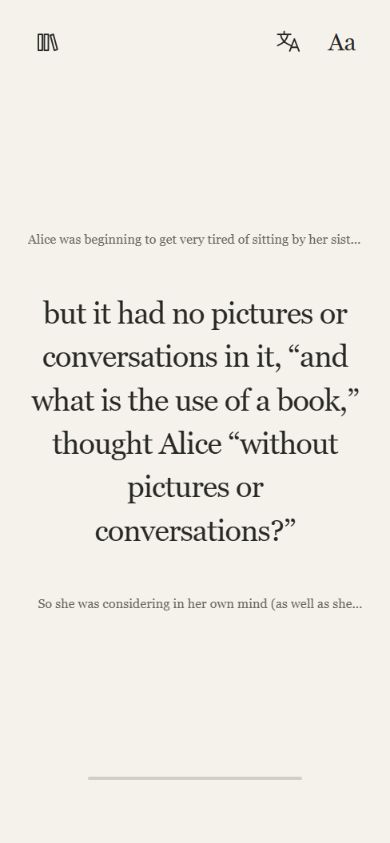
Read English books in Sentence and translate a difficult sentence without leaving the reader. Start with a passage you mostly understand, use translation when the meaning breaks down, and return to the original text. You can switch to Page view for context.
Copying text into another app can interrupt a reading session. sentence. keeps the book in front of you and lets translation stay a light assist, not the main event.
Many learners are already beyond drills and beginner lessons, but books still ask for longer focus, more vocabulary, and more confidence. That is where calmer pacing helps.
Sentence. is best for intermediate and advanced English learners who are ready to read real books.
No. Sentence. is designed around sentence-level translation. You choose a sentence, and only that sentence is sent for translation.
Sentence. is not a beginner drill app. It is for learners who want to practise with real literature.
Open Alice’s Adventures in Wonderland, read a few sentences, and tap the translation icon if the meaning becomes unclear. Hold the icon to choose your translation language. Check the reader for current translation allowances. Alice is a free starter title, but its wordplay and older phrasing can still be challenging.
Read the first-book guide, worked example and comparison table
Explore Alice · Explore The Wonderful Wizard of Oz · Browse by language
Open the app, choose a book, and see how much easier real reading feels when translation stays in the background.
Open sentence.